DEsk BETA
DESK 0.2

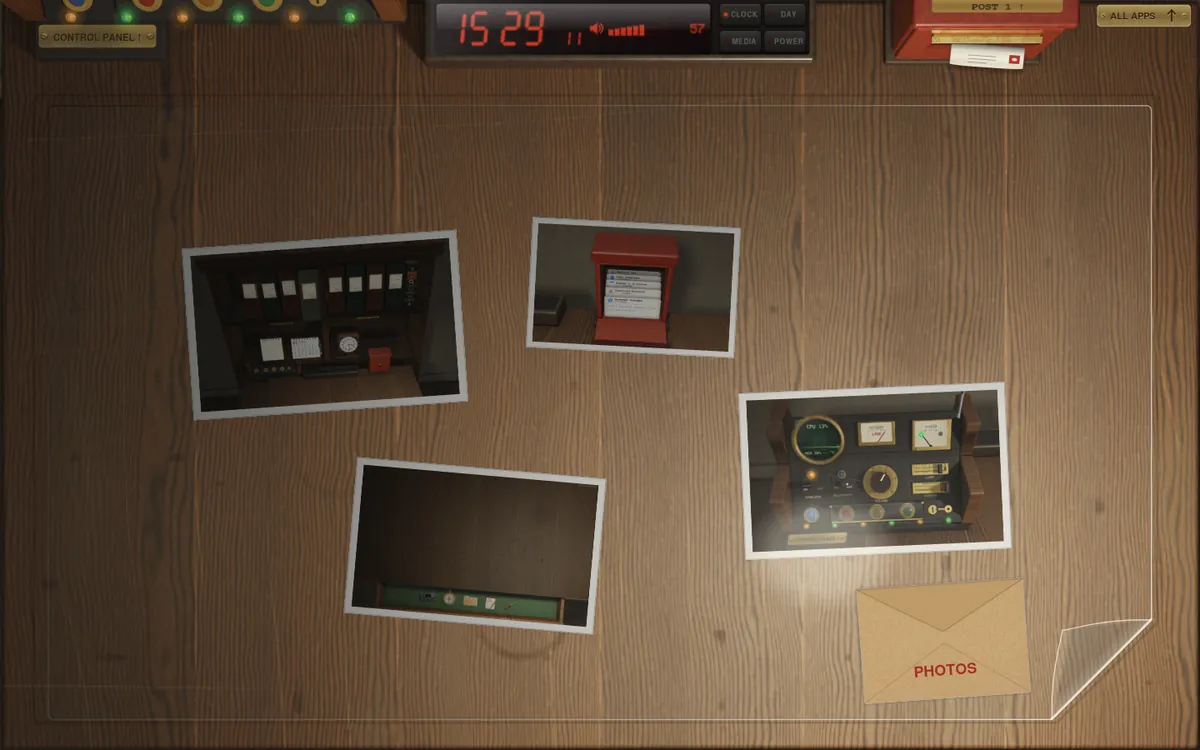
The desk with four prints under a clear mat, the mat's corner lifted and the envelope of photos beside it

Things to work with, a desk of your own, and room for your hands.

Free and open source under the MIT License. Version 0.2 (beta) for Debian, Ubuntu, Arch Linux and Fedora.

New things

Things to work with,
not windows.

Some tools are better as things. They lie on the desk among your papers, and work the way they look.

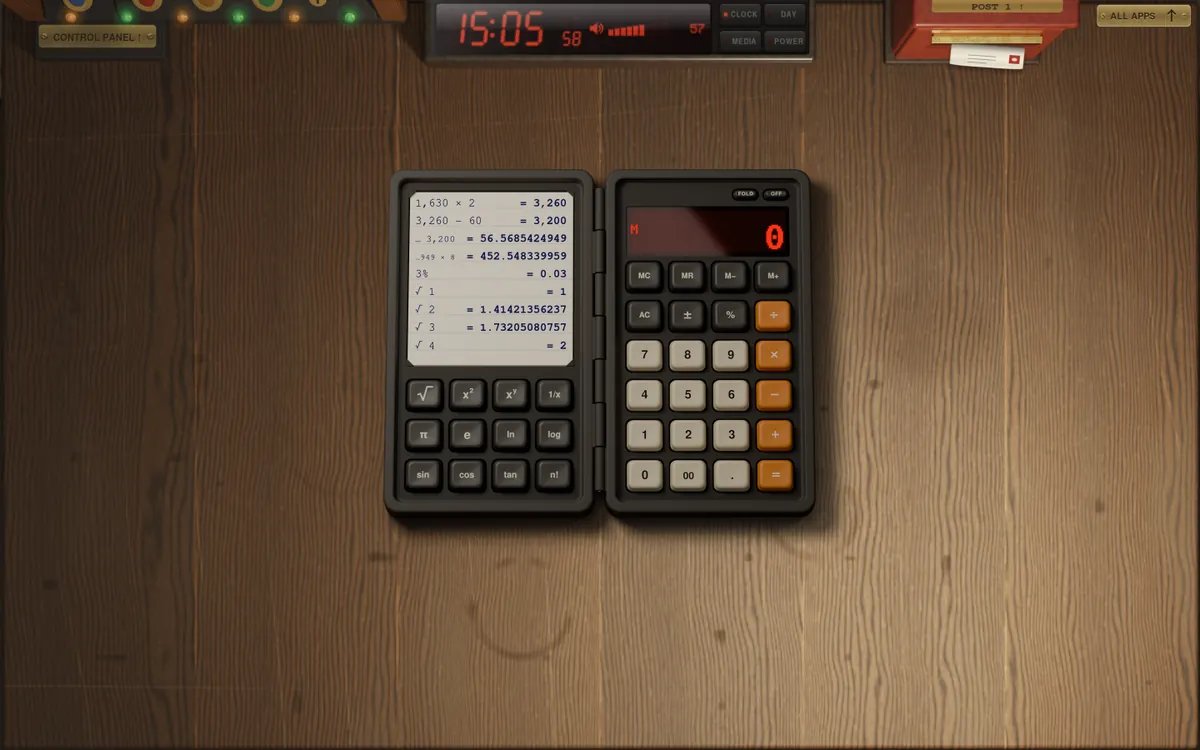
The calculator opened out on the desk: the pad of sums in its lid, the keys below
Opened out on the desk

A calculator.

It comes out of the drawer and opens like a pocket book. Its deep keys go down under the mouse or the keyboard, and the lid keeps a pad of what you worked out. 0.1 + 0.2 is 0.3.
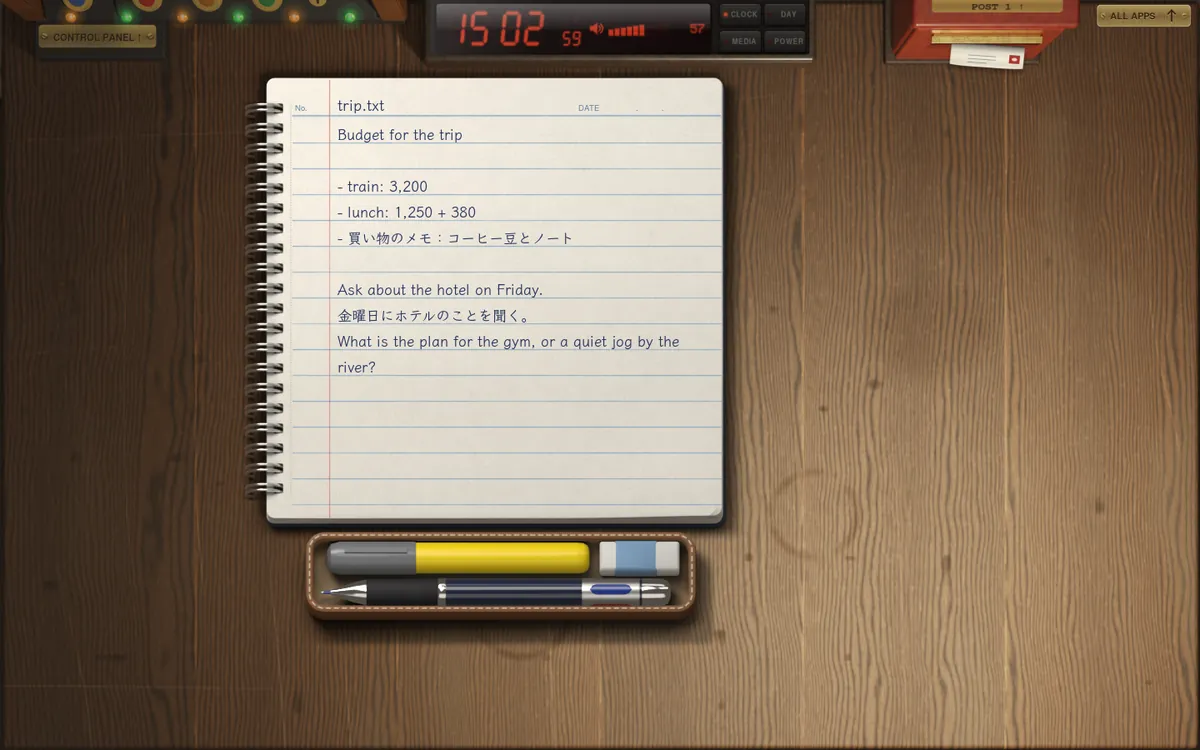
The notebook: a ruled page on a wire binding, written on, with the pencil case under it
With its pencil case

A notebook.

DEsk's own notepad is the top page of a wire-bound notebook. Type on it, or write with a pen in one of the pencil case's four inks. Pages turn whole, and it shuts when you slide it to the edge.
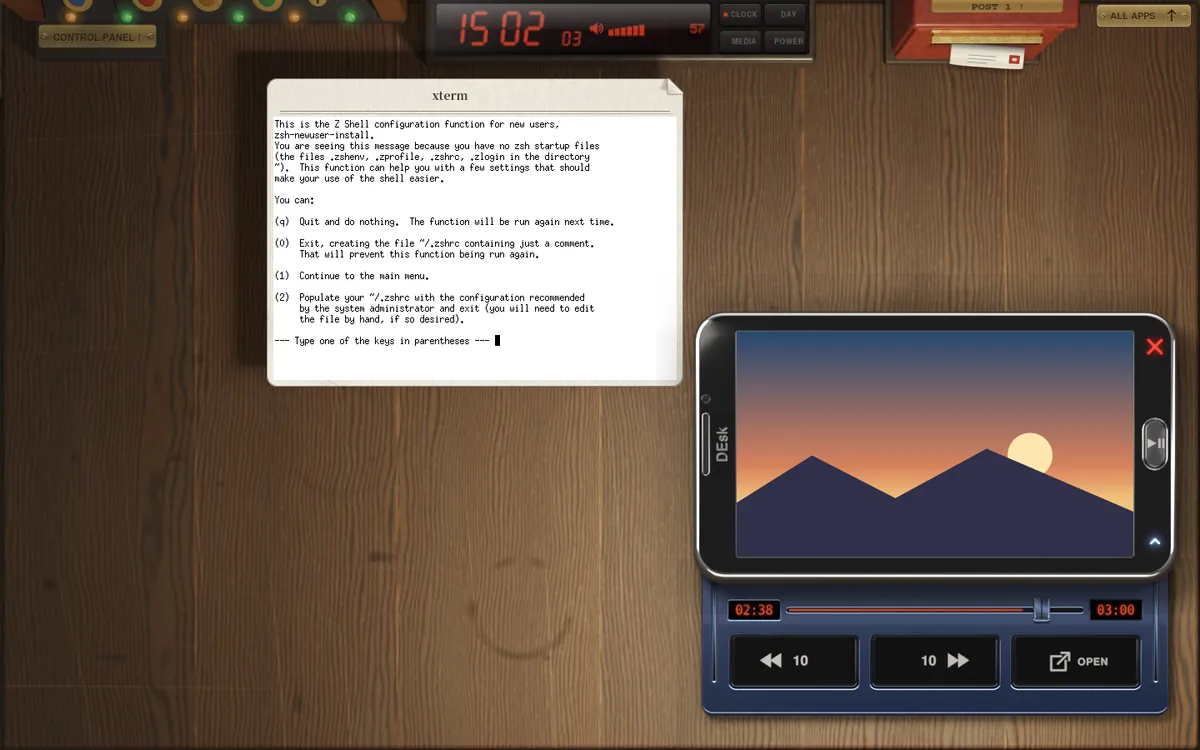
A video in picture-in-picture as the screen of a slider phone, its deck slid out with the slider and the ten-second keys
Kept in front, in the corner

Picture-in-picture is a phone.

A video in its own small window becomes the screen of an old slider phone, kept in front. The home button plays and pauses; slide out its deck for the slider and ten seconds back or on.
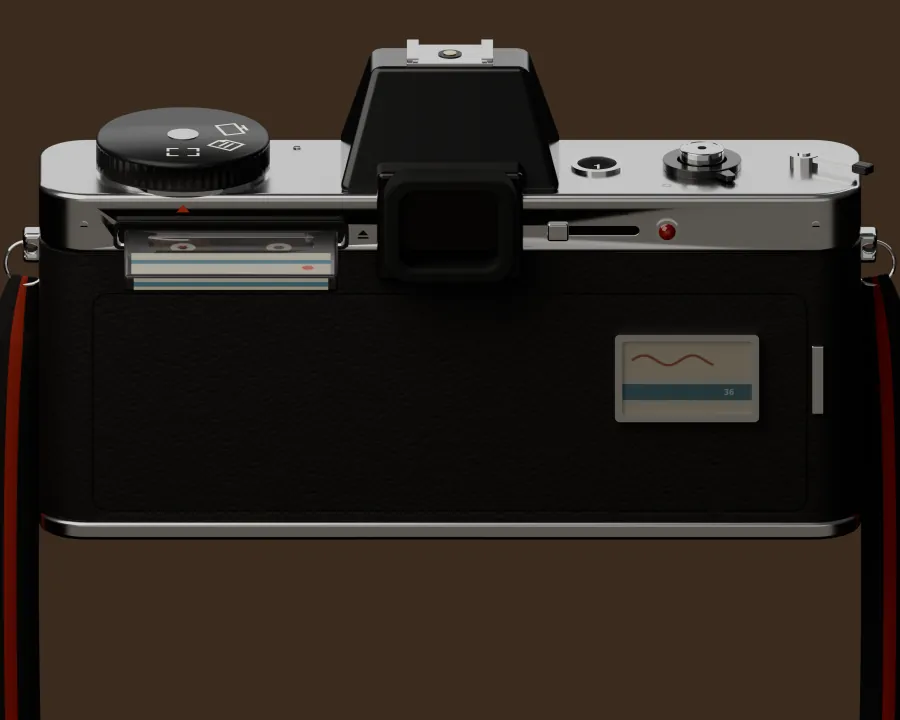
The back of the camera, with a tape in its slot
A tape in the back

Print is a camera.

It comes up to your eye and holds the screen still. Drag out the picture you want and let go: a click, and a flash. Put a tape in, and the shutter makes a film.

The calculator

Opens like
a pocket book.

Take it from the drawer, or from ALL APPS, and it opens on the desk beside your windows. A dot display on the right, twenty-four deep keys, and in the lid a pad that writes down every sum.

  • The sum as you go. The dot display shows the working on its top line, 1,250 +, and the answer large below.
  • Still a calculator shut. FOLD, and the outside has its own seven-segment display and everyday keys.
  • Twelve more on the lid. √, x², xʸ, 1/x, π, e, ln, log, sin, cos, tan, n!.
  • Counts like a person. In the order you press, in decimal: 0.1 + 0.2 is 0.3.
  • A pad that remembers. Two hundred lines; click one to bring its answer back, right-click to tear the page off.
  • Any size. Pull its corner, or Ctrl and the wheel, from 0.6 to 2.2 times, drawn again sharp.
  • Keys and mouse, or a finger. Type the sum, Ctrl+C the answer; carry it anywhere on the desk.

The notebook

Type on it.
Write on it.

DEsk's own notepad is the top page of a wire-bound notebook, with its rings, its perforation and a navy cover. What you type is set in a handwriting face in navy ink, and on the same page you can write with a pen.

  • A heading to fill in. The page number, a title, and a click on DATE for today.
  • A pencil case comes with it. Four inks in one pen, a highlighter and an eraser. Roll the pen to change colour; take a thing to write with the mouse or a finger.
  • Lines stay with the words. What you write is tied to its line, and moves when the text does.
  • Pages turn whole. Lift the bottom corner for a card of what it can do; turn it over for the next page, or a new one.
  • Nothing to save. The notebook keeps its pages as you write; a text file opens as its own page and is saved as it came, encoding and all.
  • Shut it by sliding it off. Take it to the edge of the desk and let go: the cover closes and it leaves that way.

Picture-in-picture

A video becomes
a phone.

Put a browser's video in its own small window and it turns into the screen of an old slider phone: black glass in a polished steel rim, lying at the corner of the desk and always in front.

  • A glowing red × closes it, and the video goes back to its tab.
  • The home button plays and pauses.
  • A light slides the deck out from underneath: the time, a slider, ten seconds back or on, and OPEN to bring the source window forward. No room below, and the phone moves up to make it.
  • Carry it, size it. Take it anywhere on the desk and pull its edge; it can go full screen, and typing stays where you were.
  • Talks to the player. The buttons speak MPRIS, so they work with the browser's player as they would with any other.
The back of the camera, with a tape in its slot
A tape in, and it films

Print

Print is
a camera.

Press Print and a camera comes up to your eye. The screen stops as it was the moment you pressed it, open menus and tooltips and all; the room darkens around the viewfinder, and the picture sits under thick glass.

  • Drag out the picture. Light falls where you drag; let go, and the shutter goes, with its sound and a flash.
  • A real dial. Area, window or the whole screen, and a self-timer of two or ten seconds, read off a green display like a film camera's.
  • A tape for film. Put a tape in its slot, or Shift+Print, and the shutter records instead, with the sound from your speakers. The clock counts the time; press Print again to stop.
  • Delivered by post. Pictures go to Pictures/Screenshots and the clipboard, films to Videos/Screencasts, and a letter arrives in the post box.
  • The everyday keys stay. Ctrl+Print for the whole screen, Alt+Print for the window in front.

New in 0.2

The Control Panel and the clock

The Control Panel,
redesigned.

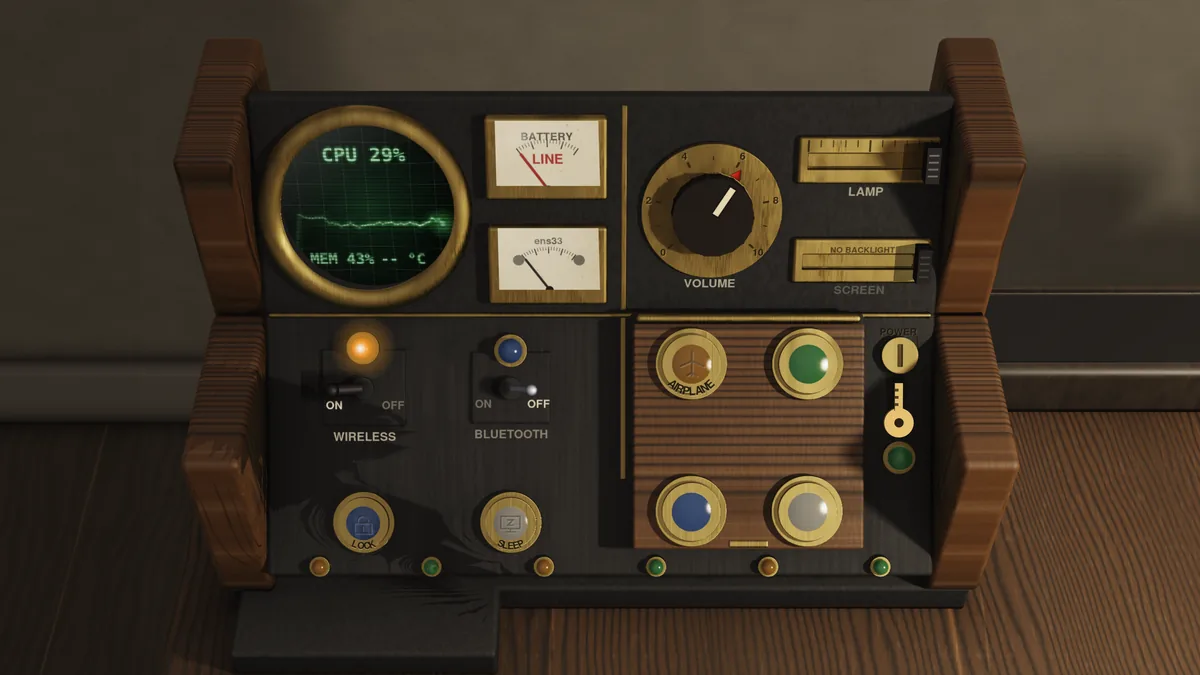
We took it apart and built it again around what you reach for most. The everyday switches now sit on top, under your hand, as four big lit buttons anyone can press.

Airplane

Both radios off at a press: the levers drop and the antenna comes down. Press again for both back on.

Power Save

The machine's power-saving profile, on and off, lit green while it is on.

Night

Warm colours on every screen, as strong as you like, kept until you turn them off.

Display

Each press the next way of using your screens: extend, duplicate, this one, the other. Super+P does the same.

Each cap carries its sign, cut lightly into the glass, that glows from within when lit. No key needed: the four on the lid are for anyone.

What else was redesigned

  • Four parts, each in its place. Meters and the green tube, volume with the lamp and screen, the radios with Lock and Sleep, and the lid.
  • Sleep has its own button, at the front beside Lock.
  • The power, put away under the lid. Shut down, Restart, Log out and Suspend wait underneath, behind a key, so they are never pressed by accident.
New

The clock shows the machine

Its PC page reads out the battery, the power drawn, the processor, the memory and the network, in the clock's own red figures.

Four pages, a tap each

The time, the day, what is playing, and the PC: tap the buttons beside the glass.
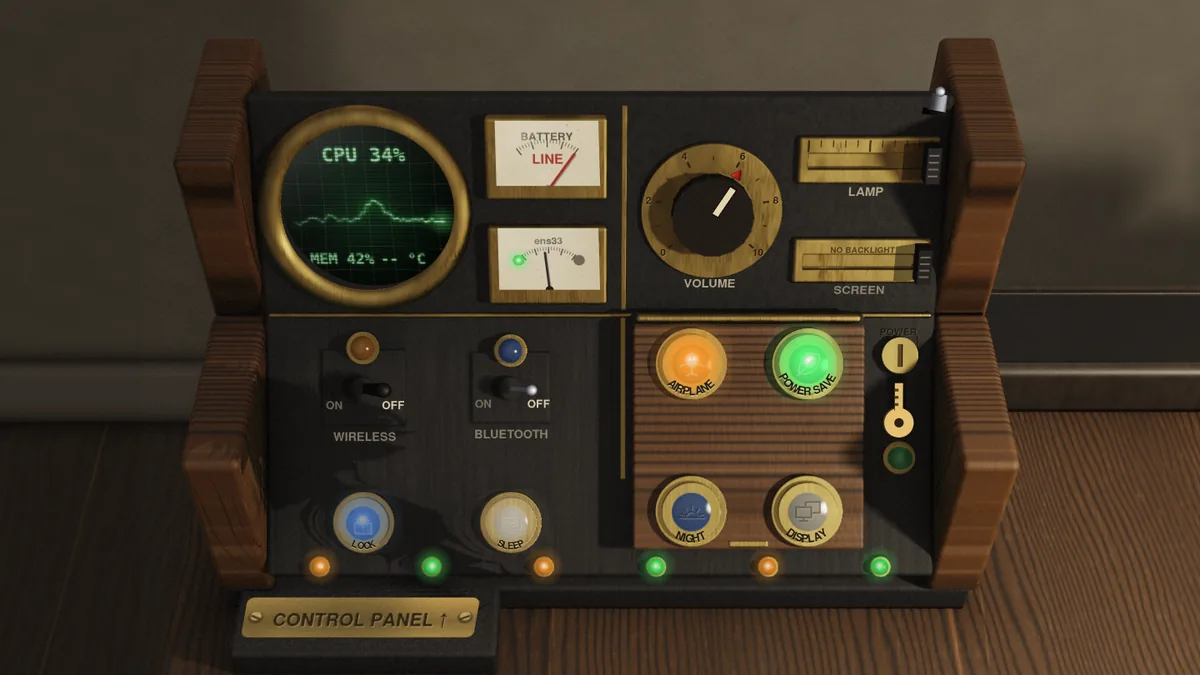
The Control Panel with Airplane and Power Save lit on its walnut lid, the radio levers down
Airplane and Power Save, lit
The Control Panel in four parts
Four parts, each where your hand expects it

Your desk

Make the desk
your own.

The wood it is made of, what lies on it, and what the things in its drawer look like — chosen the way you would choose them for a real desk.
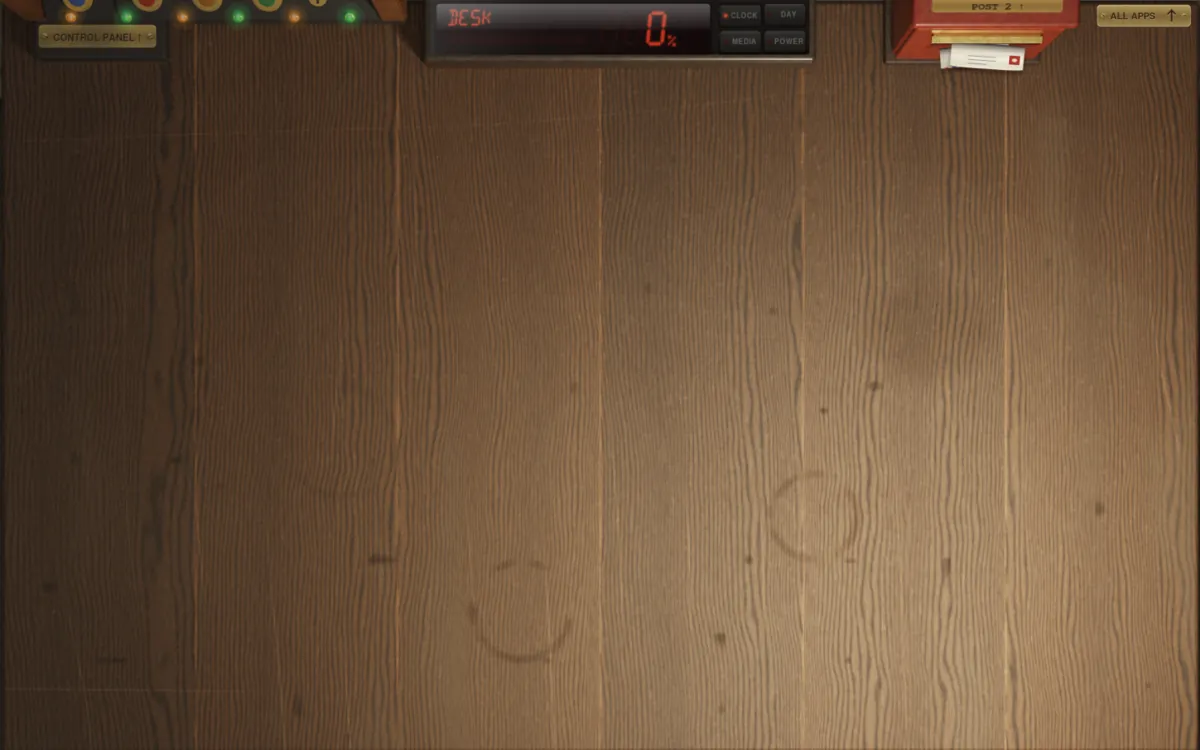
The desk in walnut

Walnut

What the desk is made of.

Walnut as it has always been, oak, cherry, maple or ebony — or a top of green leather tooled in gold, or of linoleum, let into a walnut rim. Over the wood, a stain if you like: honey, brown, dark brown or a grey wash, with the grain showing through.

Each picture is the desk as DEsk traces it on the GPU.

Material

Ordered as
from a joiner.

What the desk is made of is an order form in Shell Settings, not a list of themes. Tick a wood and a colour from the fans of samples, sign at the foot, and the desk is made again in it.

  • Five woods. Walnut, oak, cherry, maple and striped ebony — the top, the sides and the drawer.
  • Four stains. Honey, brown, dark brown or a grey wash over the wood, the grain showing through. Ebony comes only in the colours it is made in.
  • Nothing changes until you sign. Tick, change your mind, tick again; the order is signed with your name, and only then is it made.
  • The lamp goes down. The room is traced again in the new wood in the dark, the clock counting, and the lamp comes up on it, every shadow and gleam cast anew.
  • On any machine. Traced on the GPU, or relit from the desk’s own pictures on the CPU. The samples in the fan are the desk itself, in that wood.

The mat

Photos
under the glass.

Lay a clear mat over the whole desk and slip your photos under it, as under the glass on an office desk.

  • Lift it by a corner. Point at the mat’s corner and it turns up; click, and the mat is lifted so you can carry a print anywhere under it.
  • The wheel turns a print, and Ctrl with the wheel makes it larger or smaller.
  • An envelope of photos. Drop a print into it to take it away; click it to choose more pictures.
  • Or one picture under the whole mat, from edge to edge of the desk.
  • Leather or linoleum. Mats that unroll across the desk, and roll up again when you change them.

The mat began with DaeTheDruid's PR #61: felt in a colour, or a photo printed on it.

Looks

The drawer,
as you like it.

Windows stay paper. But each program you keep in the drawer can look like the thing you would keep there.

  • Right-click a thing in the drawer, or hold a finger on it, and a card of looks comes up. Choose one, and it is that from then on.
  • Fifteen to choose from: a card or the program’s icon, a pocket computer, a compass, a folder, a notepad, a screwdriver, a calculator, a typewriter, a notebook, a camera, a radio, a paint box, a game controller or headphones.
  • A picture of your own. “Choose a picture…” on the card, or put PNGs seen from above in ~/.local/share/desk/looks.
  • A look is a folder: look.png and look.ini, with its name in each language and its size in centimetres. desk-look makes one from a picture, or bakes one from a 3D model in Blender.
  • Kept by program. Take it out of the drawer and put it back, and it keeps its look.

Fingers and a pen

Use it with
your hands.

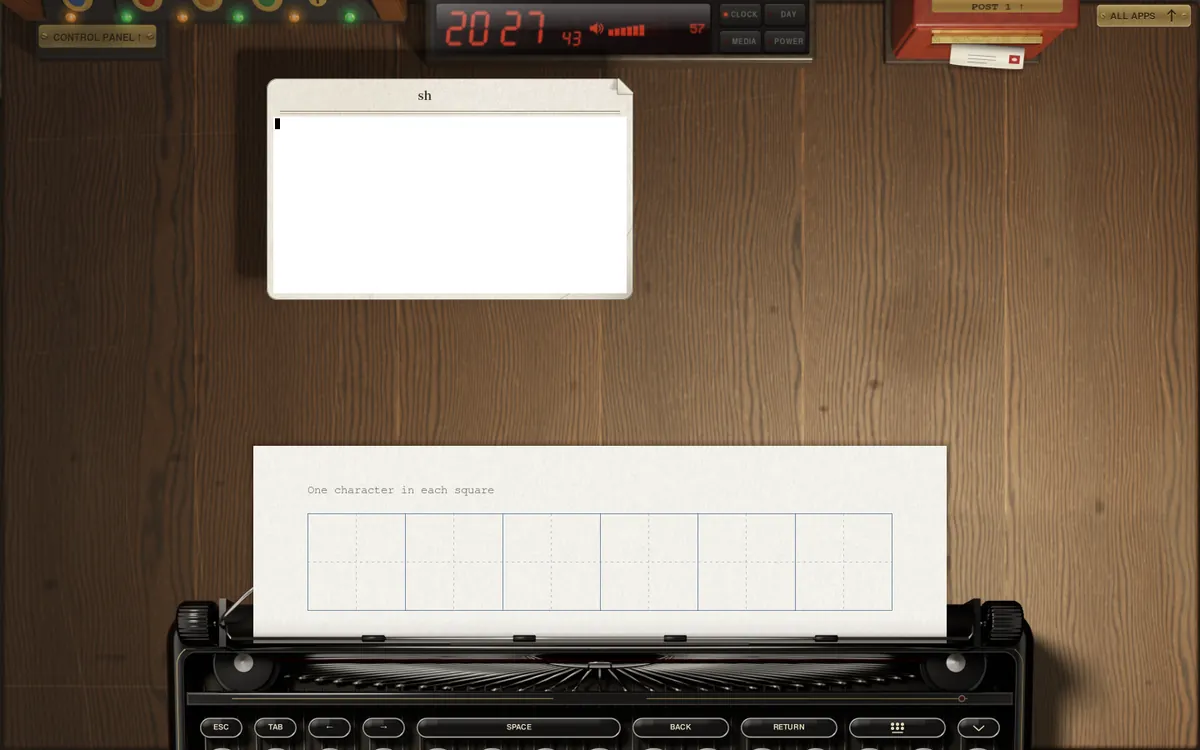
The typewriter risen at the front of the desk, its sheet ruled in squares to write in
The typewriter, come up to type
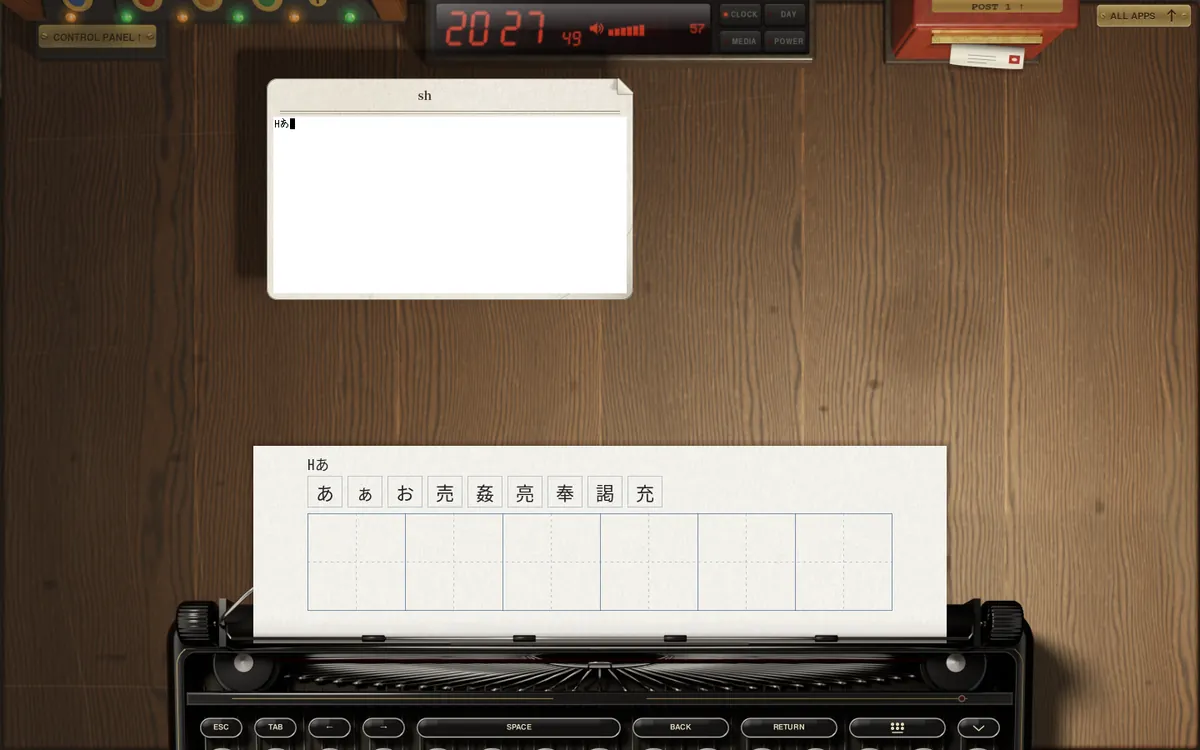
Characters written by hand on the typewriter's sheet, read and typed into a window
Written, read and typed

Touch, one to one. On a touch screen the drawer, the bookcase and every sheet follow your fingers. Let go mid-flick and a sheet slides to a stop on the wood. Three fingers take a whole window.

A typewriter for a keyboard. With no keyboard to hand, touch where you would type and a typewriter rises at the front of the desk: glass keys rimmed in nickel, the ribbon and the bell, its keys printed from your own layout.

A pen. Apps that know a pen get its pressure and tilt, and the hand holding it is not taken for a finger.

It turns with the machine. Hold a tablet upright and the desk turns with it; the windows on it are laid back onto the screen.

Handwriting. Write in the squares on the typewriter's sheet, and what you wrote is read and typed — English, Japanese, Chinese or Korean, on the machine alone.

Every move, by hand.

Nothing jumps to its place. What you touch comes with your finger, one to one, and when you let go it carries on at the speed you gave it.

Down — look up at the bookcase
Up — the drawer slides out
Right — turn to the Control Panel
Flick a sheet — it slides and stops on the wood
Three fingers down — the sheet folds
Round the ring — a binder, a sheet at a time
Across a page — it follows the finger over
Write — by finger, in the notebook

And more: left to the post box, three fingers apart to open a sheet out, three fingers in to crumple it and throw it away, three fingers up for every window at once.

Windows
Many windows,
easy to find.

Alt+Tab: the windows spread apart over the darkened desk, each labelled with its program's icon and name
Alt+Tab, spread over the desk
A window laid on the left half of the screen
On the left half

Favourites

Favourites,
on the bookcase.

At the left end of the row leans a slim binder of mustard cloth, a red star stamped on its label. In it are the programs you flag, and nothing else.

  • A flag on the sheet. Point at a sheet in any binder and the shape of a flag shows at its edge; click, and a mustard film flag is stuck on, standing out past the paper.
  • Or in the index. In the ALL APPS book, the same flag waits in the margin of every line.
  • The binder fills itself. Flagged sheets go into the mustard binder in order of their names, and its label counts them.
  • Peeled, but not lost at once. Peel a flag inside the favourites and the sheet stays until you put the binder back; stick it on again before then, and it stays.
  • A plain file. ~/.config/desk/favorites, one program to a line.

Clipboard

What you copy,
clipped to a board.

In the drawer, by the calculator, is a clipboard of brown hardboard with a steel clip. Everything you copy is clipped on as a slip of paper, the newest in front.

  • Super+V takes it out of the drawer and puts it back, like Win+V on Windows. Or carry it to the front edge of the desk, or flick it that way.
  • Words and pictures. Text is typed on the front slip; a PNG sits on it as a print with a white border and its size. Behind, each slip’s edge shows its first line or a small picture, and the time.
  • Press a slip and it is copied again and comes to the front, ready for Ctrl+V. A pencil tick marks what will be pasted.
  • Tear one off with the other button; the other button on the clip takes them all off.
  • Never written to disk. The last twenty, gone when you log out; and a copy a password manager marks as secret is never clipped at all.

Alt+Tab spreads them out.

Hold Alt and every window, folded ones too, slides apart over the desk, each labelled with its program's icon and name. A quick Alt+Tab goes back to the one before.

Half a screen each.

Super+Left or Super+Right lays a window on half the screen — or let go of it at the screen's edge.

Off the drawer's handle.

A window down at the front covers the handle. Click its bottom edge and it lifts, so the drawer can open.

Games, by name.

A Steam game is folded with its own name and icon, not just its file's.

Menus stay on the screen.

A menu that would run off the edge is moved back onto it.

Every key, when asked.

A game or a remote desktop that asks gets Super and the other keys. Super+Esc takes them back.

Wood maintenance.

Turn on the termites, and a desk left alone a while gets nibbled — the wood and the edges of windows. Only a picture, and off unless you turn it on.

Lighter

Less to carry,
less to wait for.

7MBthe desk program, down from 56: its pictures are installed once, as data
−150MBDEsk as installed, all together
~2minto make the room the first time with no GPU, where it took close to half an hour
<10sfor the desk itself, laid from pictures

Pictures where the room stands still. The clock, the post box and the Control Panel are rendered in Blender, shadows and all. With no GPU, the room is laid from pictures of each surface, and only what they can't show is traced.

Sharp while it moves. At Medium and up, the walk to the front door is filmed ahead: the name on its board can be read all the way, and the door is sharp the moment you stop.

The times are from a machine cut down to about 2010, at Low.

Thanks

Made with the community.

Half screens, the drawer's handle, Alt+Tab, Steam's names, the camera and the termites came from the AiO collection by barenakedchicken (dentarthurdent on Discord), and the camera from Ash's region screenshot too. The desk mat began with DaeTheDruid.

And thank you to everyone who reported, tested and asked, on GitHub and on Discord.

Thank you!

Get DEsk 0.2.

It is being tried on real machines now. Until it comes, DEsk 0.1.5 is the one to install — and 0.2 will carry your settings forward.